- 240-334-7778
- info@aiemedicalmanagement.com
How to Set Up Your Medical Practice’s Google+ and Google Places Accounts
Google offers a number of tools that make connecting with new and existing patients easier for yourindependent practice. Google+ and Google Places are often easily confused but each one offers its ownunique benefits. Google+ is a social media channel that allows you to engage with patients, post content, and build awareness of your practice online. Google Places is not a social media tool, but instead, literally places your practice on the map so that your patients can find your physical address using Google Maps. Both Google+ and Google Places are easy to set up. To get started with either of these, you will first need a Google account. So, if you do not already have one, go to accounts.google.com and click “Create an Account”. Once you have a Google account, you will use it to set up both the Google Places and Google+ pages for your practice and you are ready to move on.
What You'll Learn
- SET UP YOUR PLACE
- VERIFY
- REVIEWAND MAKE CHANGES
Access your 10 Mistakes to Avoid When Implementing EHR checklist below.
Have questions or need assistance? 📞 240-334-7778 | ✉️ info@aiemedicalmanagement.com

Contact Us
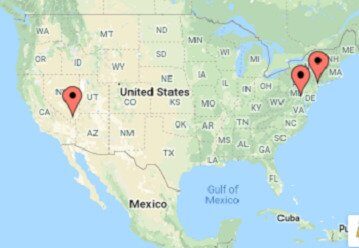
- 5335 Wisconsin Ave, NW Suite 440, Washington, DC 20015
- 5348 Vegas Drive #1440, Las Vegas, NV 89108
- 50 Harrison, St. Suite 211E, Hoboken, NJ 07030
- 2108 N ST STE 4331, Sacramento, CA 95816
- 240-334-7778
- info@aiemedicalmanagement.com
Location




Centers for Medicare, Medicaid Services, Centers for Medicare and Medicaid Services, and Kareo Billing Partner are registered trademarks and property of their respective owners.